inkscape

Beginning Inkscape - Apress BooksI've been slack lately.  My editor, Michelle Lowman, found me at DrupalCon and kicked me up the proverbial to get my act together and FINISH THE DAMN BOOK. Which book? Beginning Inkscape.  An intro level guide to using Inkscape. There are a few books out there now, which means we can direct our focus to beginners, to non-designers.  I believe Inkscape is an incredibly accessible tool for those new to drawing with a computer. And even for those new to drawing at all. 

So I've submitted a talk to the Libre Graphics Meeting in Brussels next month.

update: I won't be giving this talk - Andy Fitzsimon will!!
Andy's session is now available as video
http://river-valley.tv/media/conferences/lgm2010/0302-Andy-Fitzsimon/

This is my abstract:

Inkscape's popularity is growing day by day. How do we help new users master the tool? How do we resource these users and welcome them to participate in the community and contribute their art, their bug reports and their ideas to help us innovate? This talk briefly summarises the available resources out there from online tutorials, screencasts, channels & forums to the offline books, magazines, courses, classes and user groups. We'll then explore ideas on how we draw from this rich resource bank and build something special which helps us not only grow the userbase for Inkscape, but welcome and nurture new contributors to the Libre Graphics community, as artists and developers. Half talk, half debate, this session aims to set the scene for a discussion on the issues of supporting new users, and explore ways to do it better by sharing ideas and working together.

Very excited that Wacom Australia have sent me an Intuous 4 Tablet to experiment with Inkscape on Linux.  I'm very much looking forward to spending serious time on using this new tool, and sending constructive feedback back to the inkscape development team.

So - Michelle - Yes, with no conferences to organise for a while, Beginning Inkscape will now be getting some serious attention!

I've been crazy busy of late, and seem to be suffering the same fate as others in that I'm using micro-blogs for the quick updates and burning need to express those 'top-of-mind' thoughts, rather than posting here to http://kattekrab.net - Ah well.

Not that you care. I don't imagine these rare postings of mine are missed much by anyone! :)

So what have I been up to? Conferences. Again.  Ya'd think I would have learnt to keep away from these unmitigated stress-fests by now. Oh no. Not me. Never learn, Can't be told.

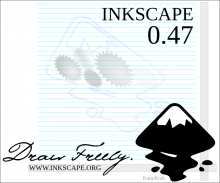
Entries closed and voting is open for the about screen contest for the next release of Inkscape.  There are 36 entries, some of them representing hours of dedicated artistry by their creators, others flashes of inspiration quickly rendered with our favourite tool.

I've picked 9 of the 36 for my own personal shortlist... but I can only vote for one - which will it be?  What do you think?

View all 36 here http://inkscapers.deviantart.com/journal/24960257/ - and create an account to vote!

Inkscape - the best open source vector graphic editor in the whole wide worldThe amazing team that build my favourite Open Source software application, Inkscape, have bunkered down in preparation for a new release.

linux.conf.au 2009 starts in a little over 2 weeks in Hobart Tasmania...

Will you be there?

linux.conf.au - wish you were here

Deep into preparations for the Inkscape tutorial I'm giving at linux.conf.au in Hobart in January, I've been practicing techniques and recording them using RecordMyDesktop. It is a Linux application that does exactly what it says, screencast and audio recording of what's happening on screen.  It works very well!

Some time ago some lovely person on the inkscape channel suggested the following fix to my desire to have inkscape default to landscape, full screen when I create a new document. It's become such second nature to me now I don't even think about.

But as I passed this tip on to someone today - it occurred to me it might be worth a wee blog post. Hope someone else out there finds this useful :)

Note: Make a copy of default.svg before embarking on this jiggery pokery - in case reverting to factory settings is required.

I finally got around to bloging about and uploading my inkscape talk slides to my biz site Creative Contingencies - http://www.cc.com.au/inkscape-talk

Also included the refs at the end of the talk - so it's a handy ref I can point people to - also went to the trouble of teasing out the various download links seeing as inkscape is truly cross platform and available for windows, mac and a bunch of different linux distros.